
Table of Contents
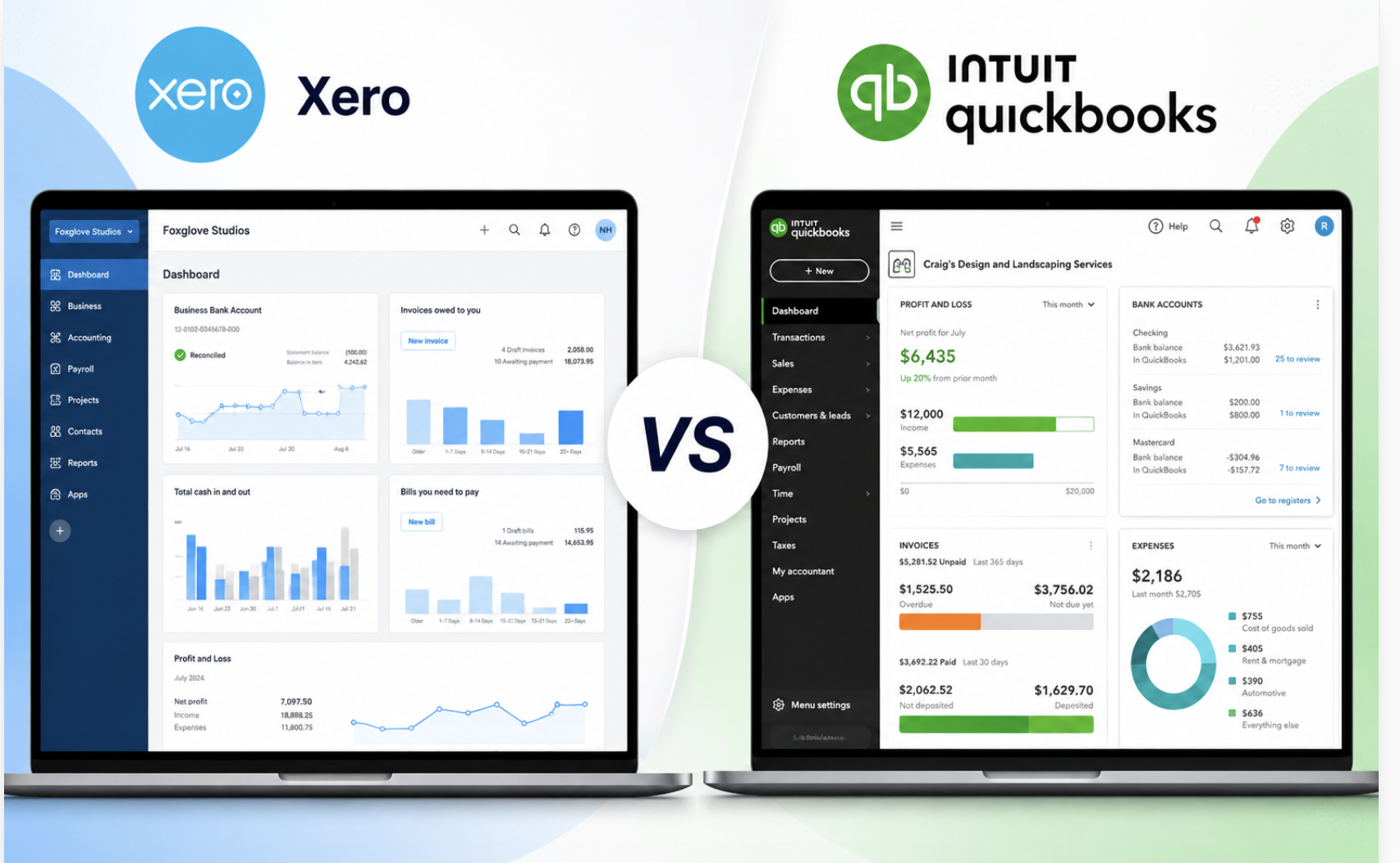
Xero vs QuickBooks at a Glance
Choosing accounting software is one of the most important decisions for a growing business. Two names dominate the market: Xero and QuickBooks.
Both help businesses manage invoices, expenses, bank reconciliation, taxes, reporting, and payroll. But they take different approaches.
- Choose Xero if you want unlimited users, modern collaboration, and a large integration ecosystem.
- Choose QuickBooks if you want powerful bookkeeping features, extensive accountant adoption, and deep reporting.
After comparing pricing, features, usability, automation, reporting, integrations, and scalability, here’s our verdict.
Xero vs QuickBooks: Quick Comparison
| Feature |

|

|
|---|---|---|
| Best For | Small businesses & growing teams | Small businesses & accountants |
| Starting Price | Competitive monthly plans | Multiple pricing tiers |
| Users | Unlimited on most plans | User limits vary by plan |
| Invoicing | ✔ | ✔ |
| Expense Tracking | ✔ | ✔ |
| Inventory | ✔ | ✔ |
| Payroll | Available in supported regions | Available in supported regions |
| Mobile App | Excellent | Excellent |
| Integrations | 1,000+ | Large ecosystem |
| Free Trial | Yes | Yes |
Feature Comparison
1. Ease of Use
Both platforms are beginner-friendly, but their interfaces differ.
- ✔Modern dashboard
- ✔Clean navigation
- ✔Easier learning curve
- ✔Excellent for non-accountants
- ✔More accounting-focused
- ✔More advanced menus
- ✔Powerful reporting
- ✔Slightly steeper learning curve
2. Invoicing
Both platforms allow businesses to create professional invoices, accept payments, automate reminders, and schedule recurring invoices.
- ✔Faster invoice creation
- ✔Better invoice customization
- ✔Cleaner customer portal
- ✔Automatic payment reminders
- ✔Better payment tracking
- ✔Powerful sales workflow
- ✔Recurring invoices
- ✔Invoice status notifications
3. Expense Tracking
Both platforms automatically import bank transactions and help businesses manage expenses efficiently.
- ✔Receipt capture
- ✔Excellent bank reconciliation
- ✔Employee expense claims
- ✔Automation rules
- ✔Mileage tracking
- ✔Receipt scanning
- ✔Expense categorization
- ✔Tax-ready bookkeeping
4. Reporting
Reporting becomes increasingly important as your business grows.
- ✔Profit & Loss reports
- ✔Balance Sheet
- ✔Cash Flow reports
- ✔Tracking Categories
- ✔Advanced financial reports
- ✔Sales reports
- ✔Forecasting tools
- ✔Custom reports
5. Inventory Management
Both platforms offer inventory tracking, but the depth of features differs.
- ✔Simple inventory management
- ✔Inventory tracking
- ✔Purchase order support
- ✔Ideal for small businesses
- ✔Advanced inventory management
- ✔Stock valuation
- ✔Reorder tracking
- ✔Serial & batch support
6. Integrations
Both platforms connect with popular business apps and automation tools.
- ✔1,000+ integrations
- ✔Stripe
- ✔Shopify
- ✔Zapier & HubSpot
- ✔Large app marketplace
- ✔CRM integrations
- ✔E-commerce apps
- ✔Payroll integrations
7. Mobile Experience
Both apps provide a strong mobile experience for business owners on the go.
- ✔Clean mobile interface
- ✔Create invoices
- ✔Capture expenses
- ✔Bank reconciliation
- ✔Feature-rich mobile app
- ✔Detailed reporting
- ✔Customer management
- ✔Expense tracking
Pricing Comparison
Pricing changes regularly, so always check the latest plans before purchasing.
Xero
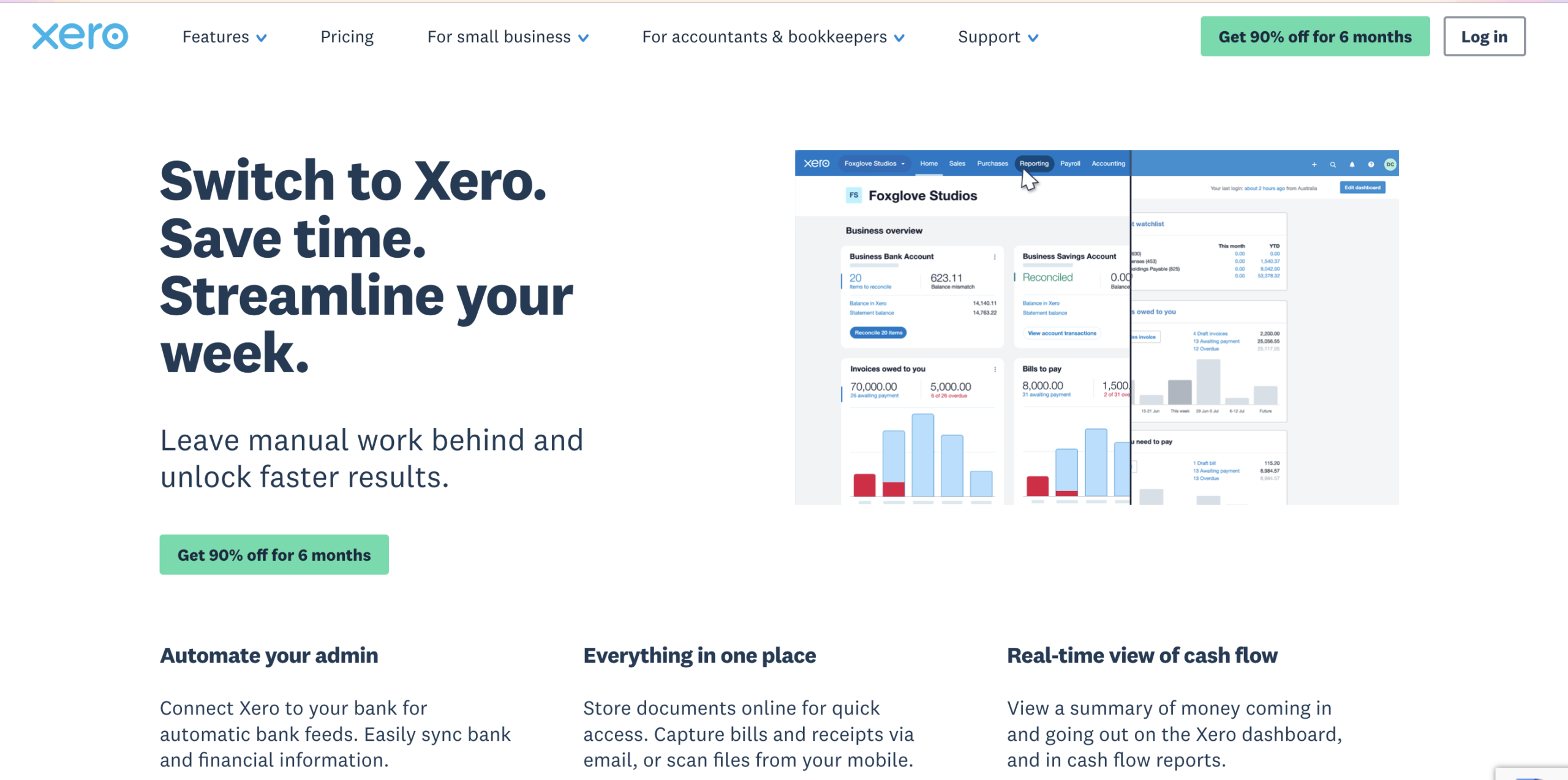
Best for businesses wanting predictable pricing with unlimited users.
QuickBooks
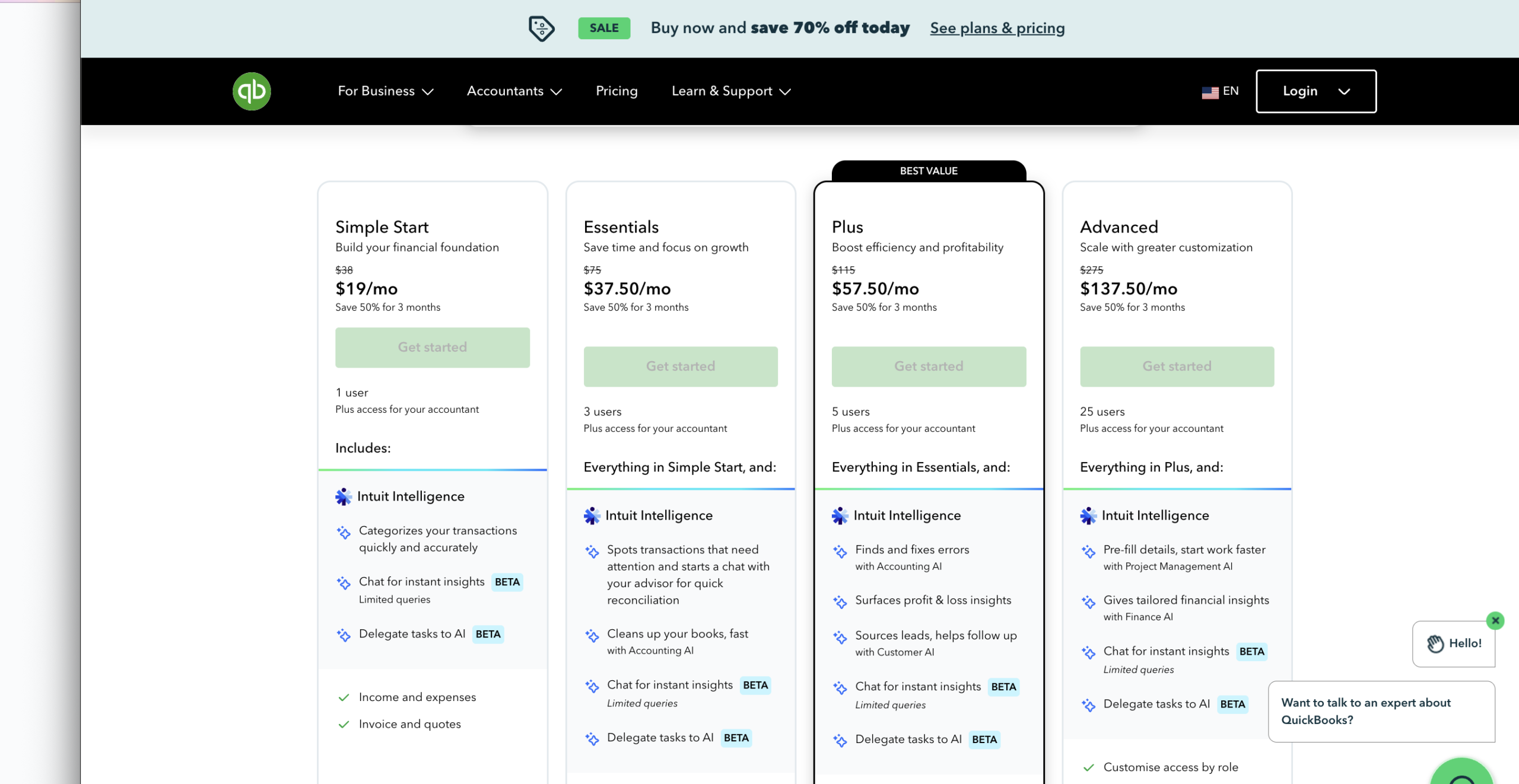
Offers multiple plans designed for businesses at different growth stages.
Winner: Depends on your requirements.
Pros and Cons
Xero
- ✔Unlimited users included on most plans
- ✔Modern and intuitive interface
- ✔Excellent bank reconciliation automation
- ✔Strong invoicing and payment features
- ✔1,000+ app integrations
- ✔Perfect for startups and growing businesses
- ✕Payroll isn’t available in every country
- ✕Inventory features are fairly basic
- ✕Advanced reports require higher plans
- ✕Limited built-in budgeting tools
- ✕Some accounting workflows take time to learn
QuickBooks
- ✔Powerful bookkeeping features
- ✔Excellent financial reports
- ✔Advanced inventory management
- ✔Trusted by accountants worldwide
- ✔Strong payroll and tax capabilities
- ✔Large integration marketplace
- ✕User limits on many subscription plans
- ✕Costs increase as your business grows
- ✕Interface can feel overwhelming
- ✕Premium features require higher-tier plans
- ✕Some add-ons increase the total cost
Which Software Is Better for Different Businesses?
Freelancers
Simple invoicing, expense tracking, and unlimited users make Xero an excellent choice for freelancers who want an easy-to-use accounting solution.
Startups
Xero’s modern interface, automation, and extensive integrations make it ideal for fast-growing startups.
Agencies
Unlimited users allow agencies to collaborate across teams without paying extra for additional seats.
Retail Businesses
QuickBooks offers stronger inventory management, stock tracking, and reporting, making it a better fit for retail businesses.
Accountants
QuickBooks is widely used by accounting professionals and provides advanced financial reporting and bookkeeping features.
Xero vs QuickBooks: Our Verdict
Choose Xero if you want:
- Unlimited users
- Simpler interface
- Better collaboration
- Cloud-first experience
- Excellent integrations
Choose QuickBooks if you want:
- Advanced accounting
- Strong financial reporting
- Better inventory
- Deep bookkeeping functionality
- Broad accountant familiarity
For most modern small businesses, startups, agencies, and service-based companies, Xero offers the best balance of usability, automation, and value. Businesses with more complex accounting requirements or advanced inventory needs may find QuickBooks the better fit.
Frequently Asked Questions
Is Xero cheaper than QuickBooks?
Pricing depends on the plan and region. Xero is often attractive for teams because most plans include unlimited users.
Which is easier to learn?
Xero generally has a shorter learning curve thanks to its clean interface.
Which software do accountants prefer?
Many accountants are experienced with QuickBooks, although Xero also has a large and growing advisor network.
Can I migrate from QuickBooks to Xero?
Yes. Many businesses migrate using built-in import tools or accounting professionals.
Does Xero have payroll?
Yes, payroll is available in supported countries or through regional partners, depending on your location.
Is QuickBooks better than Xero?
Neither platform is universally better. Xero excels in usability and collaboration, while QuickBooks stands out for advanced accounting and reporting.
Final Recommendation
If you’re a small business looking for intuitive accounting software that scales with your team, Xero is an excellent choice. If your business relies on advanced bookkeeping workflows or complex financial reporting, QuickBooks remains a strong alternative.
Whichever platform you choose, focus on the features that match your business today while leaving room for future growth.